Set up the EPR Atlas Stack
The EPR Atlas Stack connects Claude or Gemini to EPR Atlas data on U.S. packaging EPR fee rates, dates and deadlines, exemptions and thresholds, material categories, lawsuit and bill status, what each law covers, who the producer is, state definitions, reporting rules, eco-modulation, and the weekly update log. Every answer carries its source, and every item other than a weekly update carries its status label. Setup takes about five minutes for each assistant and is done once per person.
Before you start
- An EPR Atlas account with an active subscription. Subscribe at epratlas.com/subscribe, and use the same email address and sign-in for every step below.
- The connector address:
https://atlasstacks.com/epr/mcp - Claude: a Claude account that can add custom connectors. On a company Claude plan, an owner may need to allow custom connectors first.
- Gemini: a personal Google account. Google supports custom apps in the Gemini app only on personal accounts, for users 18 or older in the U.S., with Keep Activity turned on; work and school accounts are not supported (Google's help page).
- Microsoft Copilot, ChatGPT, or Perplexity. These are not set up through this guide yet. If you use one of them on a paid plan and want to connect it, email info@hartteradvisory.com.
Connect Claude
Step 1: Add the connector in Claude
These steps use Claude on the web at claude.ai. The Claude desktop app has the same screens.
- In the left sidebar, select Customize, then the Connectors tab.
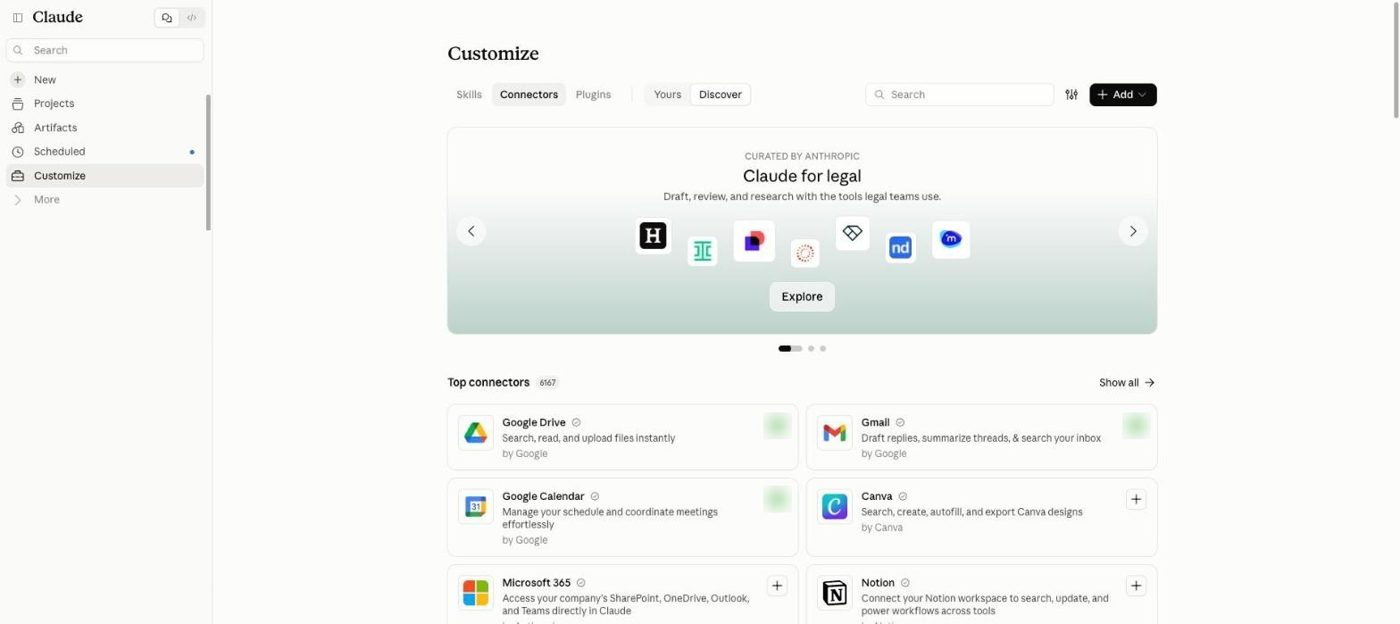 2. Select Add, then Add custom connector.
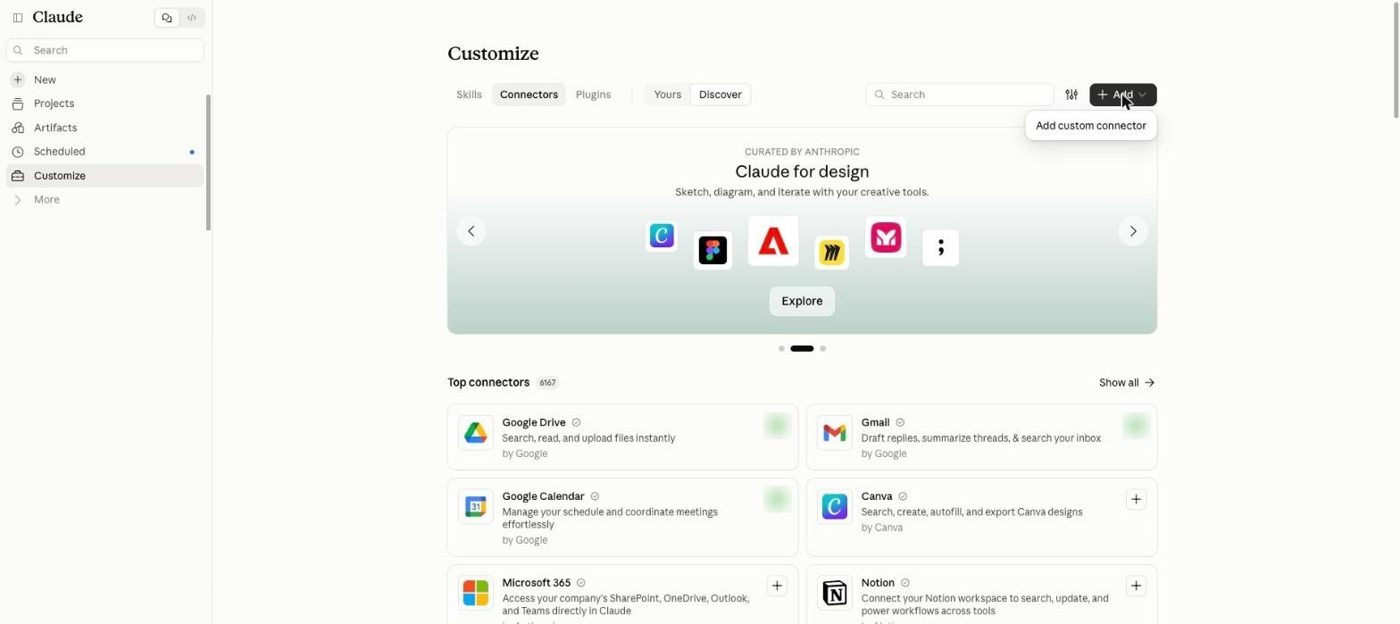 3. Enter
EPR Atlas Stack as the name and https://atlasstacks.com/epr/mcp as the address, then select Continue. Claude checks the server, which takes a few seconds.
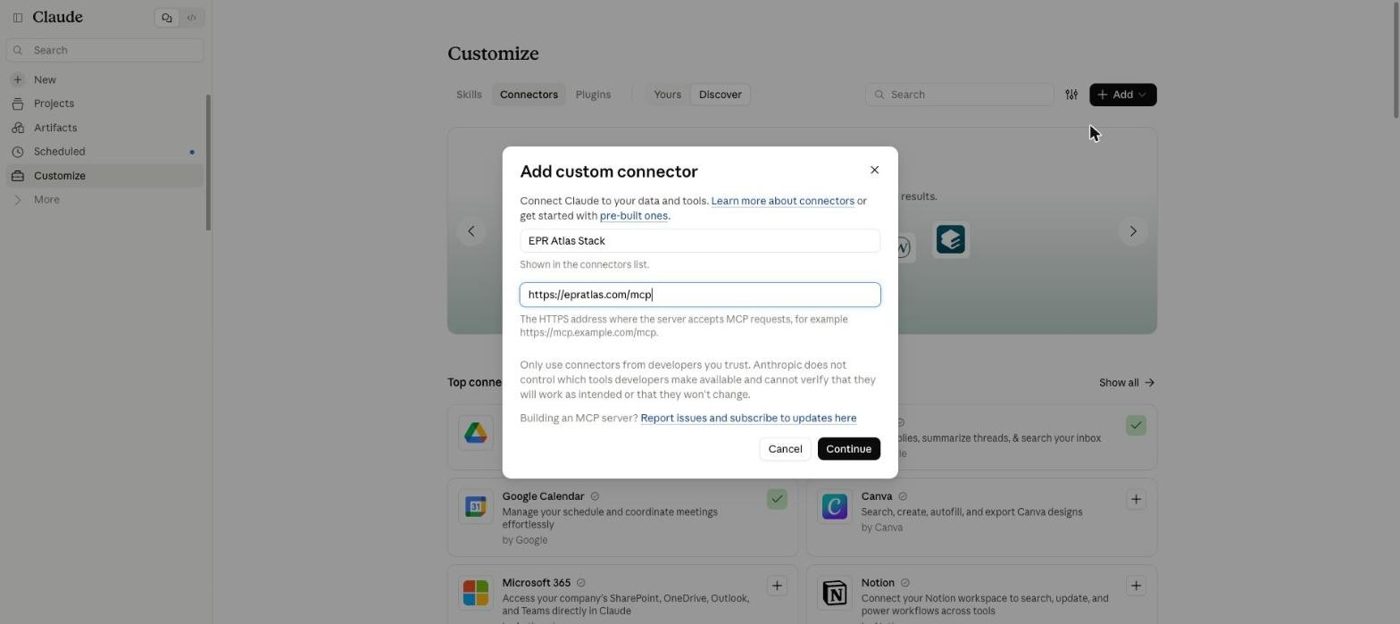 4. Claude detects the EPR Atlas sign-in on its own. Leave Sign in now and Use Claude's published identity selected, scroll down, and select Add. You do not need to add any request headers.
Step 2: Sign in to EPR Atlas and allow the connection
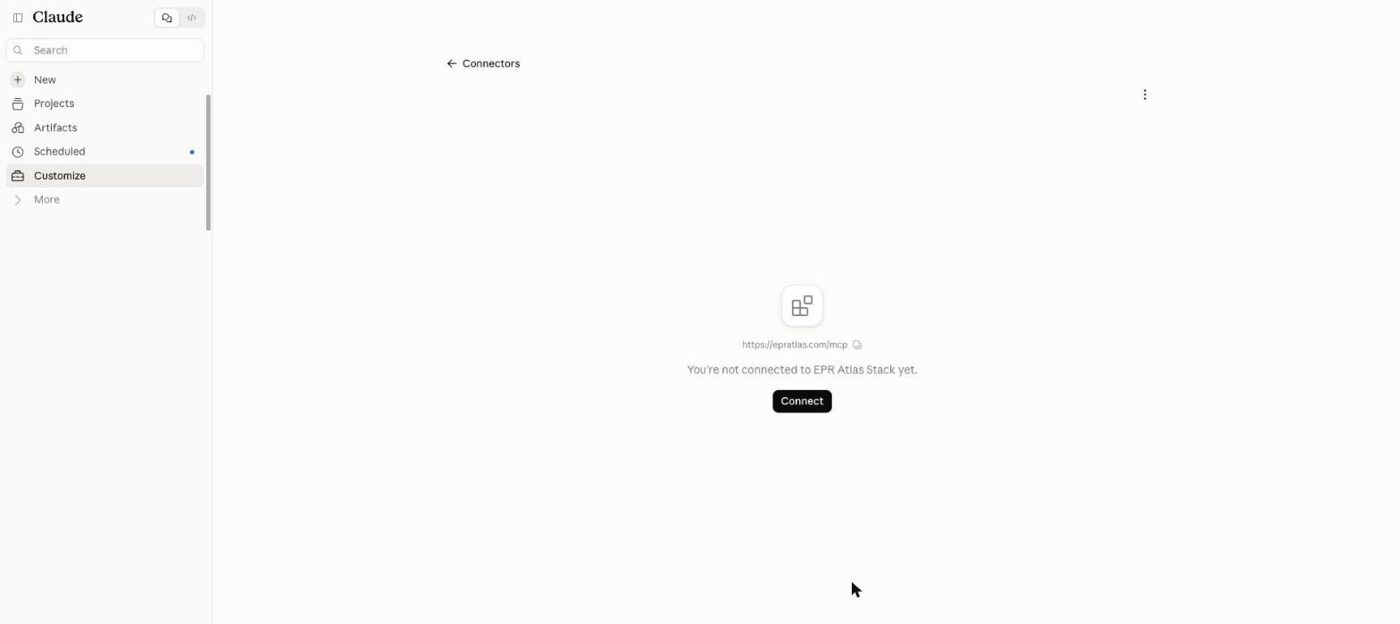
- On the connector's page, select Connect. Claude opens the EPR Atlas sign-in page.
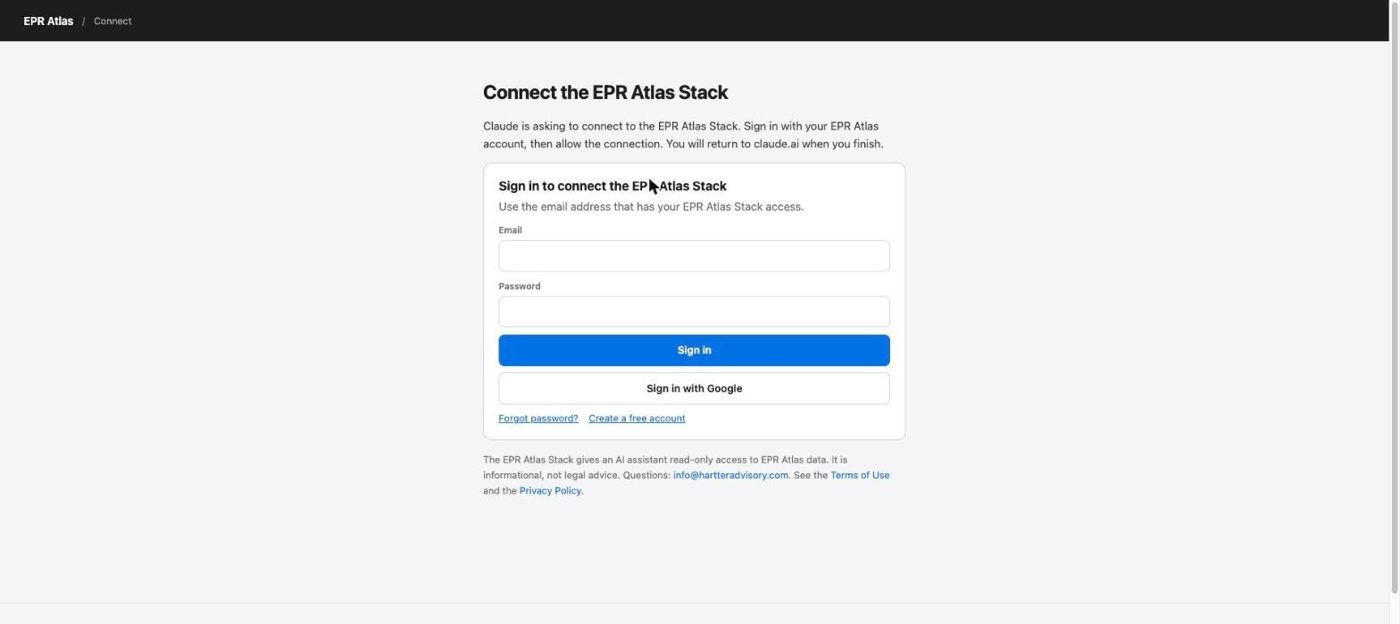
 2. Sign in with the email address on your subscription, using your password or Sign in with Google. If you already signed in to epratlas.com in this browser, this step is skipped.
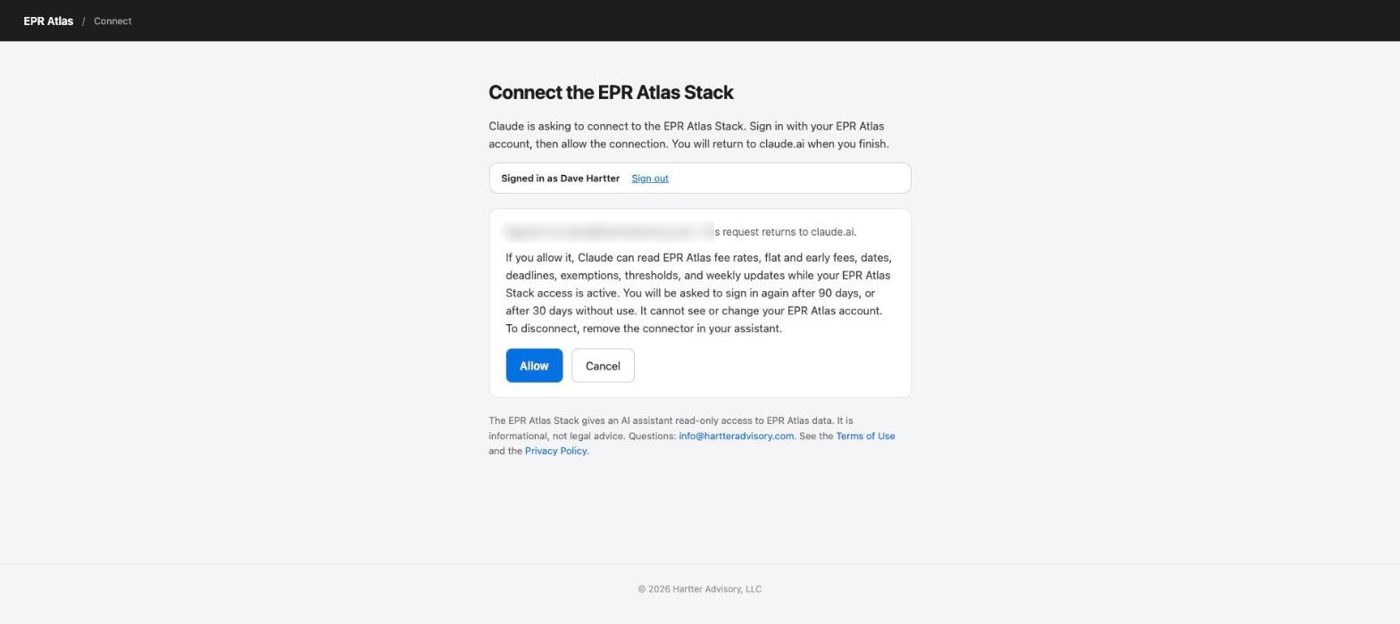
 3. Check that the page shows the right email address, then select Allow. The page lists what Claude can read and confirms that it cannot see or change your EPR Atlas account.
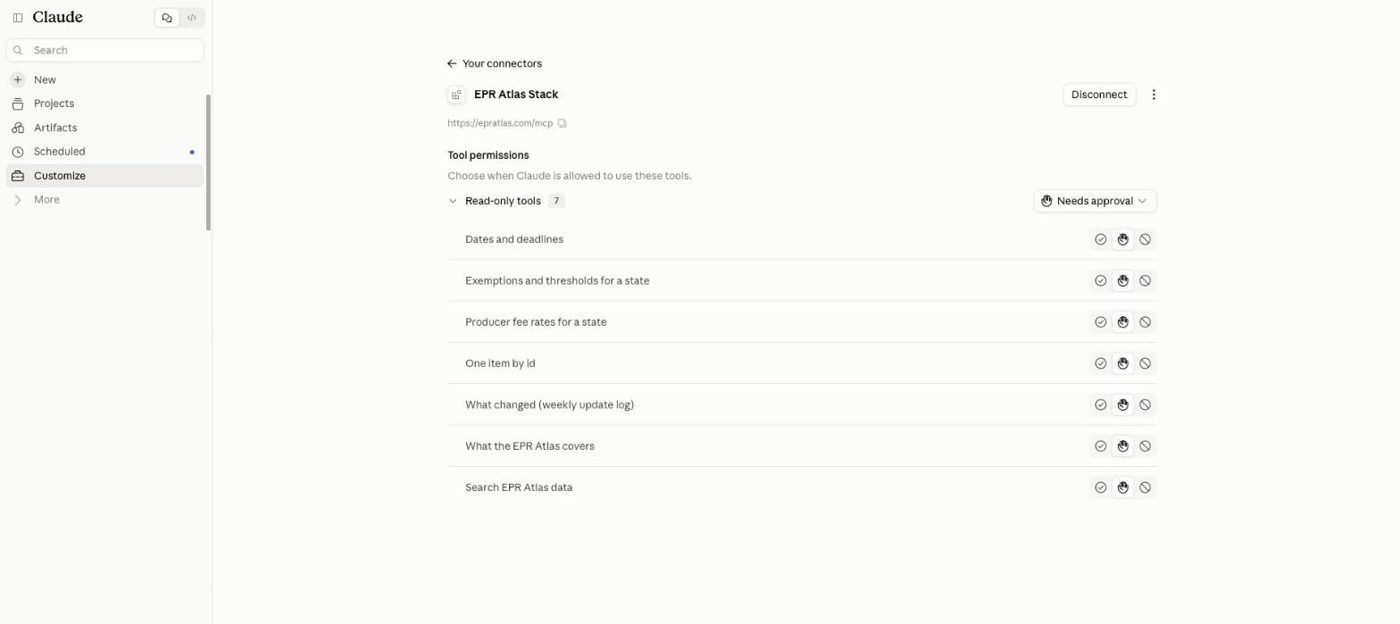
 4. You return to Claude, and the connector shows as connected with its read-only tools.
Step 3: Ask your first question
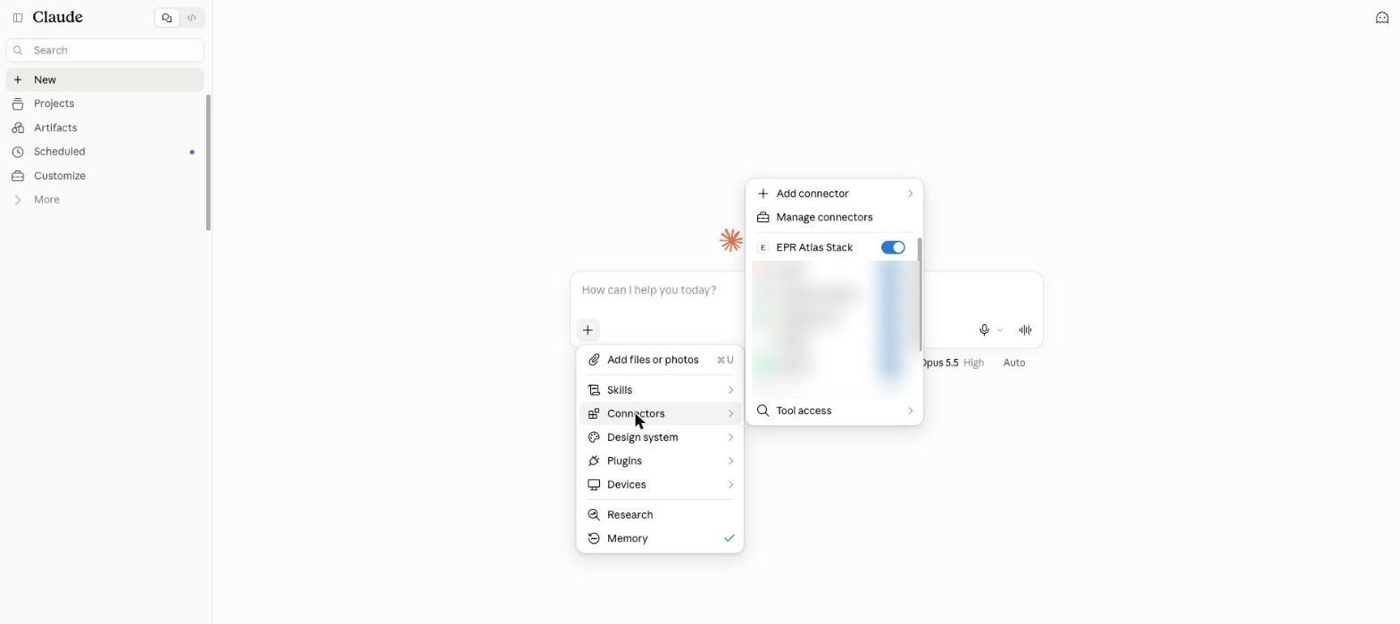
- Start a new chat. Select +, then Connectors, and check that EPR Atlas Stack is switched on.
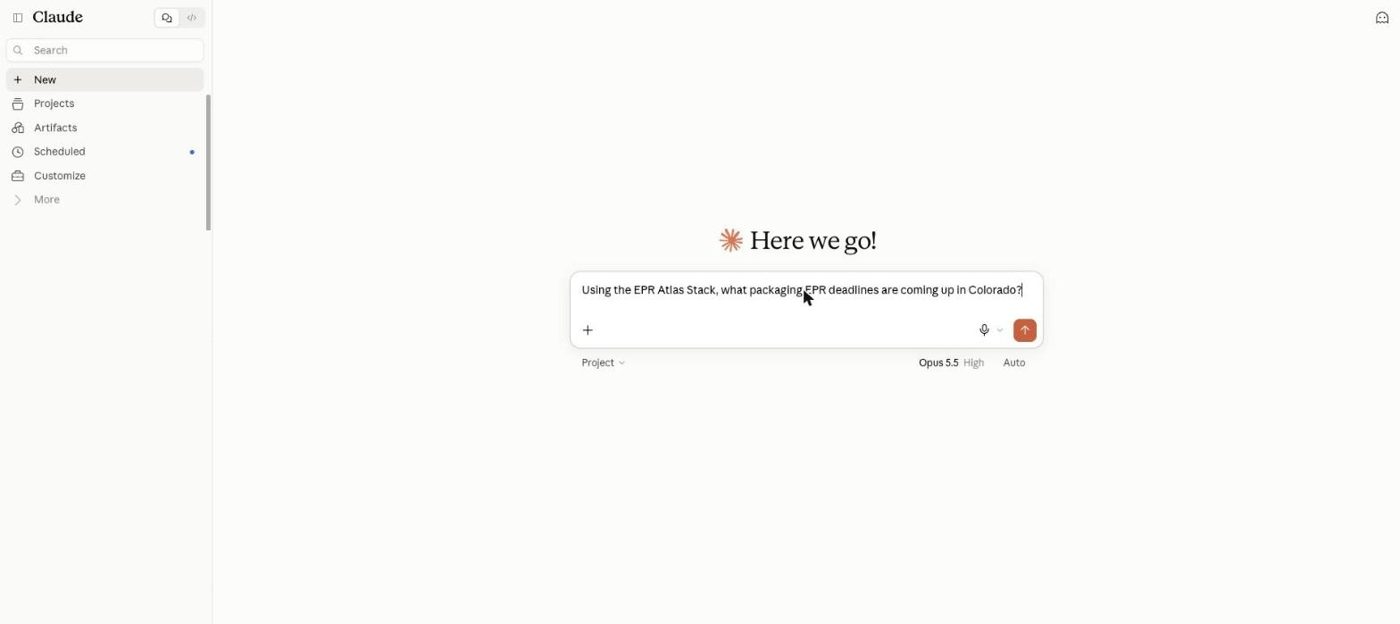
 2. Ask a question about a state, a deadline, a fee, or an exemption. Naming the EPR Atlas Stack in the question makes sure Claude uses it. If Claude asks for your approval before a lookup, select Allow.
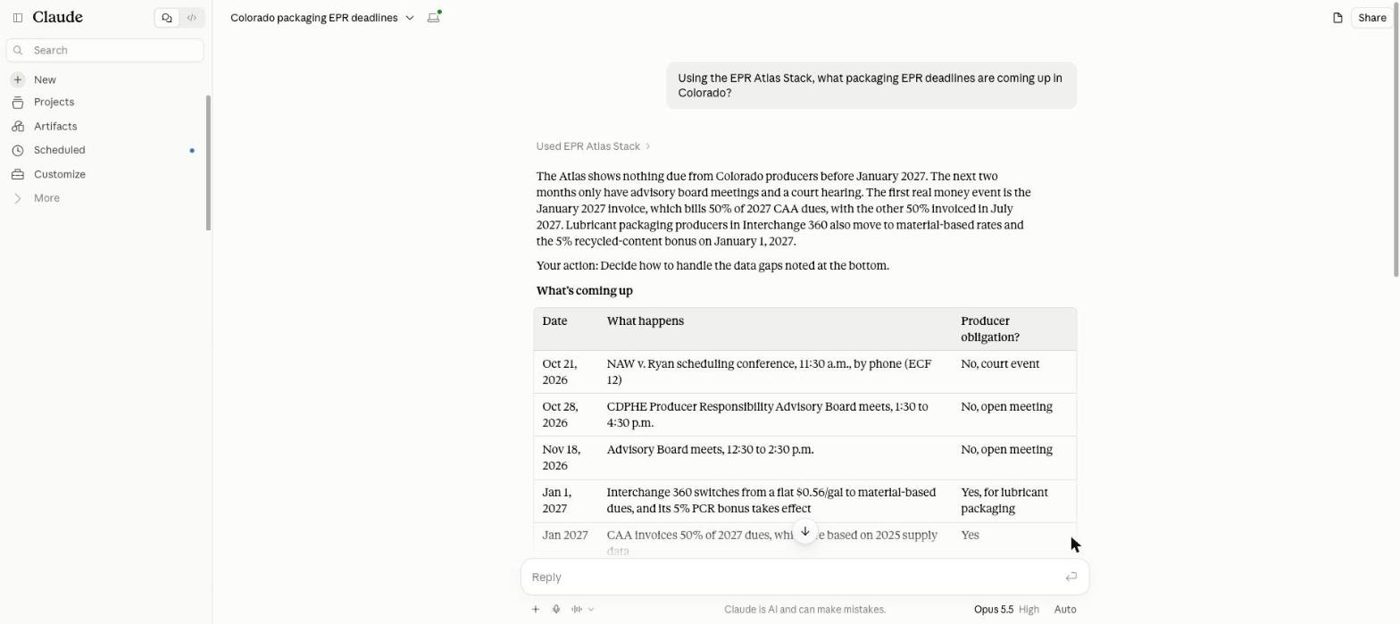
 3. Claude answers from EPR Atlas data. Every item carries its source, and every item other than a weekly update carries a status of confirmed, signaled, or deferred.
Connect Gemini
Gemini needs a client ID and secret made for your Google account. You create them yourself on the subscribe page, then add the connector in Gemini.
Step 1: Copy your Gemini redirect address
- On your computer, go to gemini.google.com/apps, or open Settings at the bottom left and select Connected Apps. On the Connectors tab, select + Custom.
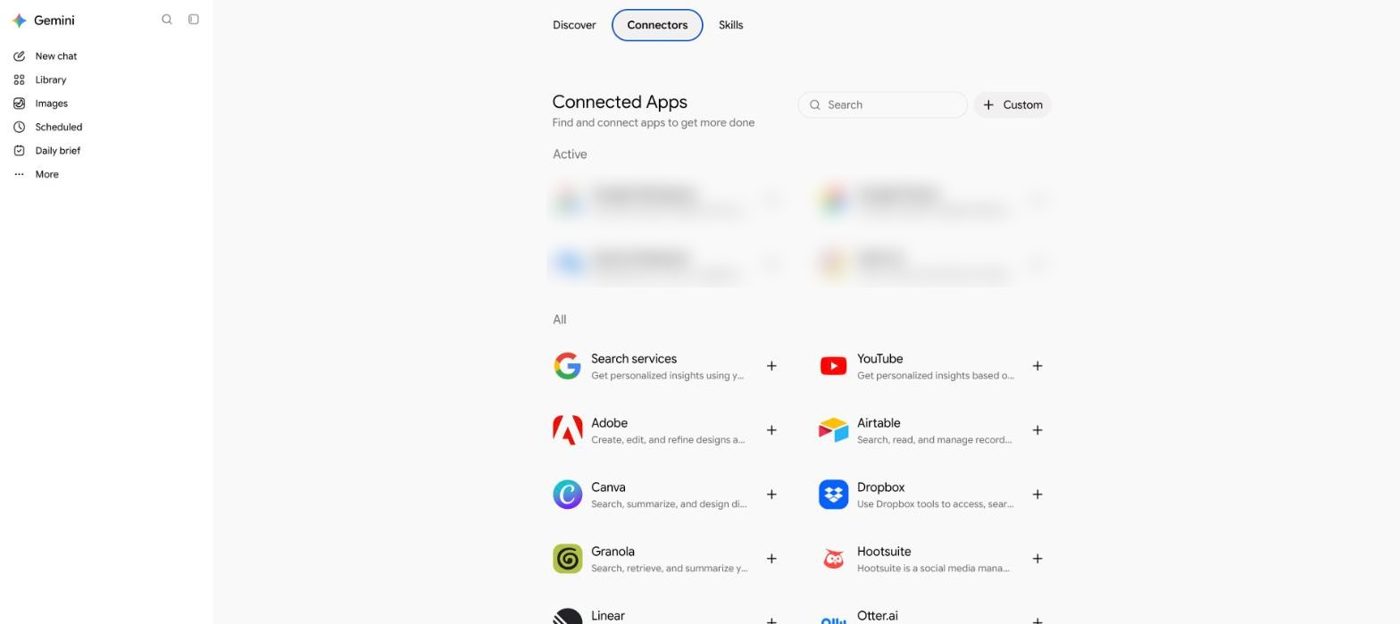 2. In MCP Server URL, enter
https://atlasstacks.com/epr/mcp.
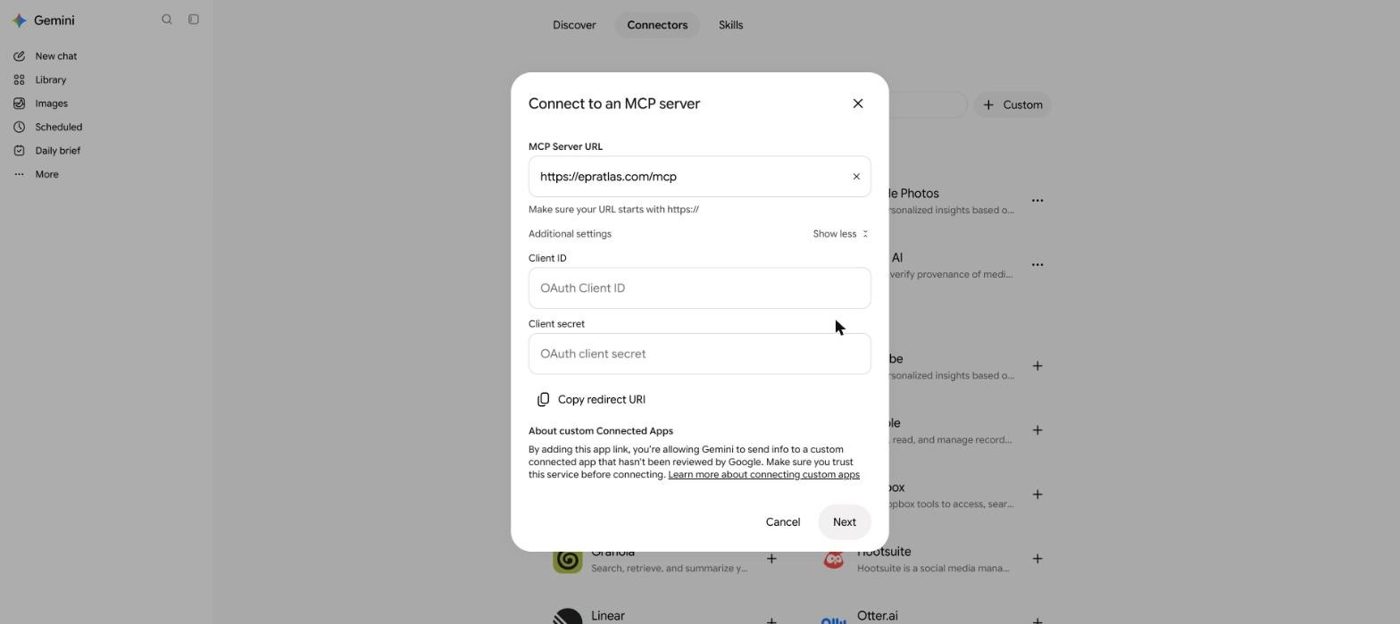
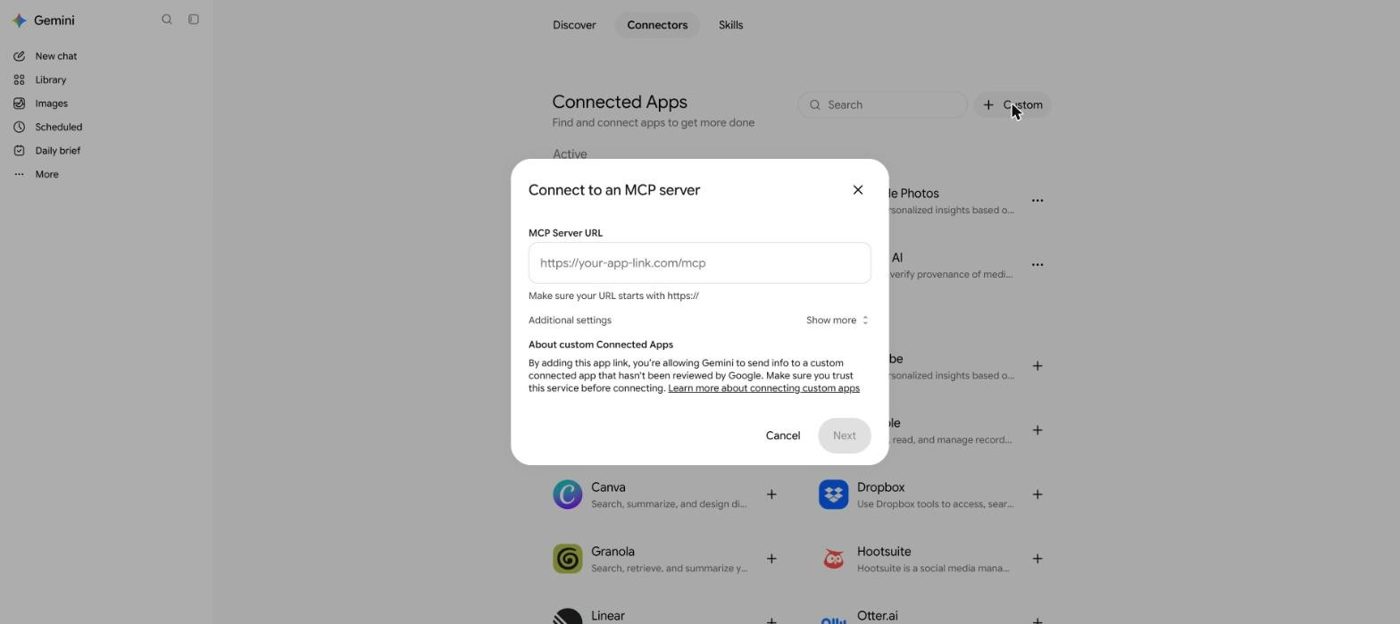 3. Next to Additional settings, select Show more, then select Copy redirect URI. The address starts with
https://oauth-redirect.googleusercontent.com/r/ and ends with atlasstacks_com. Keep this dialog open.
Step 2: Create your client ID and secret
- In another browser tab, go to epratlas.com/subscribe and sign in with the email address on your subscription.
- Under Set up Gemini, paste the redirect address and select Create my Gemini client.
- The page shows your client ID and client secret. The secret is shown only once, so keep the page open until you finish Step 3. If you lose it, create a new client there; the old one then stops working within about an hour.
Step 3: Add the connector and sign in
- Back in Gemini's dialog, paste the Client ID and Client secret into Additional settings.
Check both fields before you continue. Chrome may fill the Client ID field with your email address and the Client secret field with a saved password. Clear anything Chrome added so each field holds only the value from the subscribe page, or the connection fails with "Account linking is required." 2. Select Next. On Gemini's Connect this MCP server screen, scroll to the bottom and select Connect.
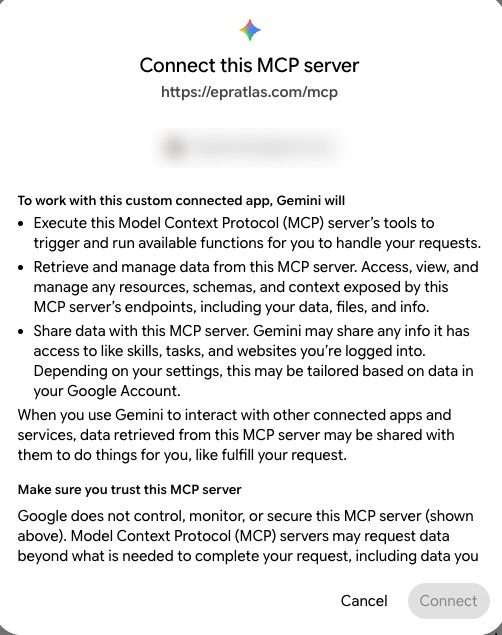 3. Google asks you to link your Google Account to EPR Atlas, under a name it takes from the web address. Scroll down and select Agree and continue.
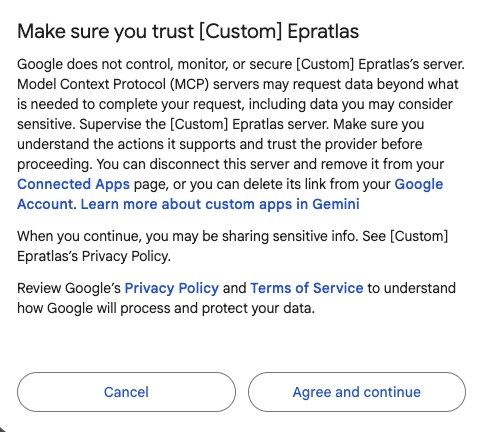 4. The EPR Atlas sign-in opens. Sign in with the same email address you used on the subscribe page, check that the page shows that address, and select Allow. You return to Gemini, and the connector is ready.
Step 4: Ask your first question
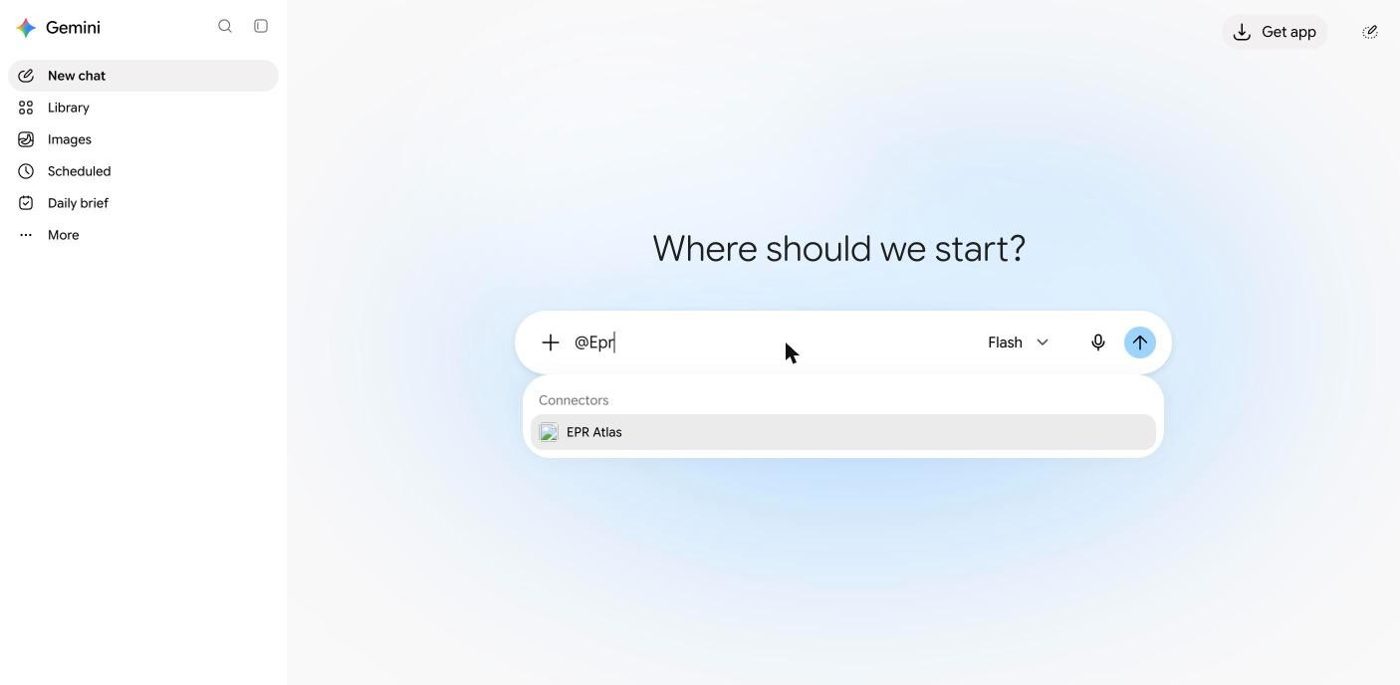
- Start a new chat and type
@. Gemini lists the connector as EPR Atlas. TypeEPRto find it and select it.
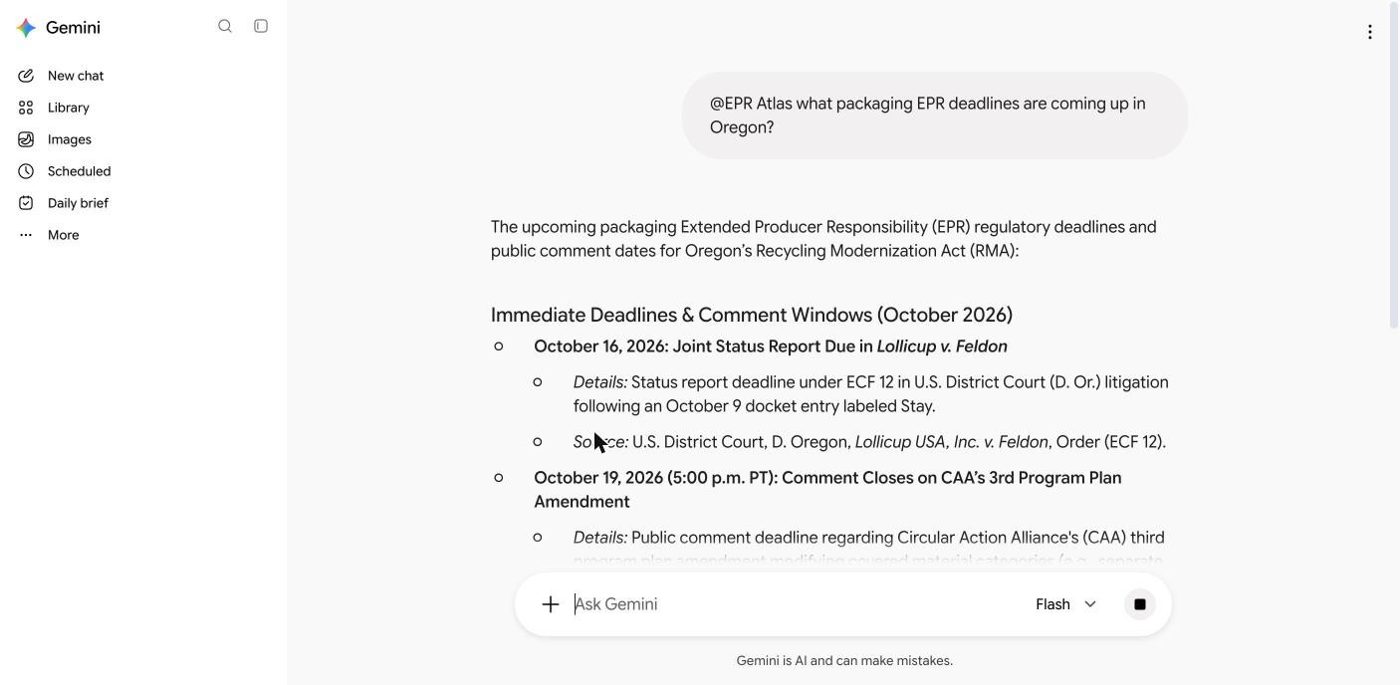
 2. Type your question after
@EPR Atlas and send it. Gemini answers from EPR Atlas data, with the source for each item.
Getting the most from the EPR Atlas Stack
The EPR Atlas Stack looks up the kinds of EPR Atlas data listed below. Every item comes back with its source, and every item other than a weekly update also carries a status.
- Producer fee rates, including flat and early fees, and the Oregon, Colorado, and California fee category a packaging material and format falls in.
- Dates and deadlines, and where tracked EPR lawsuits and bills stand.
- Exemptions and thresholds.
- What each packaging EPR law covers, including paper products and printed paper such as catalogs and magazines.
- Who the producer is under each packaging EPR law, by material class and sale channel, with the rules and CAA guidance that modify the order.
- What the state definitions say about food serviceware, packaging sold empty, and reusable and refillable packaging in all seven states, small format in five, and compostable packaging and the hazardous products exclusion in Maryland.
- Eco-modulation: each state's fee bonuses, maluses, and incentive fees, with how each applies, when it starts, who administers it, and whether it is operative, and for California whether a covered material category is on a 2027 bonus or malus list.
- Reporting and registration: who sets producer reporting dates, how a California producer registers with the state, what a Colorado producer may report, Maryland's registration categories and penalties, and CAA's terms for producers that register late.
- The weekly update log.
It can also list what the Atlas covers, search its fee, date, exemption, scope, reporting, definition, producer, and eco-modulation items, and return one item by its ID. For software platforms, it returns the fee calculators' whole material mapping and rates as one table to load.
| Status | What it means |
|---|---|
| Confirmed | Read in the official text, an adopted rule, an approved plan, or a published schedule |
| Signaled | Not final: a draft, a proposal, a preliminary schedule, or the Atlas's reading of a published source |
| Deferred | The answer depends on an instrument that does not exist yet |
Questions that work well
- Deadlines: "List every packaging EPR date and producer deadline in the next 90 days, with the source for each."
- Comparisons: "Compare the small producer exemptions in Oregon, Colorado, and California in a table."
- Fees: "What are Oregon's current producer fee rates for plastic film and PET bottles? Give the status and source for each rate."
- Material categories: "Which Oregon, Colorado, and California fee categories does a PP bottle cap fall in, and at what rate?"
- Lawsuits and bills: "Where does NAW v. Feldon stand, and who does it cover?"
- What a law covers: "Are mail order catalogs covered in Oregon, Colorado, and Washington, and who is the producer?"
- Who the producer is: "We sell private label goods online into Washington and Maryland. Who is the producer of the product packaging and of the shipping box?"
- Definitions: "How does each state treat reusable and refillable packaging? Give the citation for each."
- Reporting: "Who sets Washington's reporting date, and what does CAA require of a producer that registers late?"
- Weekly changes: "What changed in the EPR Atlas this week, and which changes matter for a company selling in California and Maine?"
- Your own material: attach your packaging list, then ask the assistant to check it against the EPR Atlas, for example "Which Oregon and Colorado fee category does each of these items fall in?"
- Briefings: "Draft a one-page summary of Colorado's program for our leadership team, citing the EPR Atlas sources."
Tips
- Name the EPR Atlas Stack in Claude, or start with
@EPR Atlasin Gemini, so the assistant uses the connector rather than a general web search. - Ask for the source and status of any figure or date you plan to use, and treat a signaled item as not final.
- Producer and definition answers give the tiers and terms in order and say where the text does not settle a case; they do not decide a specific company's status. CAA guidance is named as CAA's guidance, not law.
- In a Claude project, add an instruction such as "Use the EPR Atlas Stack for any U.S. packaging EPR question" so you do not have to repeat it.
- The EPR Atlas is updated weekly. Ask again before a deadline rather than relying on an older chat.
Managing the connection
| Situation | What to do |
|---|---|
| You are asked to sign in again | Sign in through the same EPR Atlas page. This happens 90 days after you first allow the connection, or after 30 days without use. |
| Stop Claude asking before each lookup | In Customize, Connectors, EPR Atlas Stack, set the read-only tools to always allowed. The default is Needs approval. |
| Disconnect | In Claude, select Disconnect on the connector's page. In Gemini, open Settings, Connected Apps, find the custom app, and select Disconnect or Remove app. |
| "Account linking is required" in Gemini | Check that the Client ID and Client secret fields hold only the values from the subscribe page. If it repeats, create a new client and try again. |
| Change your card, see invoices, or cancel | Select Manage billing on epratlas.com/subscribe. |
| Your subscription ends | The connector stops answering within about a minute and reports that the account does not have active EPR Atlas Stack access. |
The EPR Atlas Stack is read-only and informational, not legal or compliance advice. Confirm any figure or date with the state agency, the producer responsibility organization, or counsel before acting on it. Questions: info@hartteradvisory.com.